Spotlight: plate-check, the Vision Service Watching My Print Farm
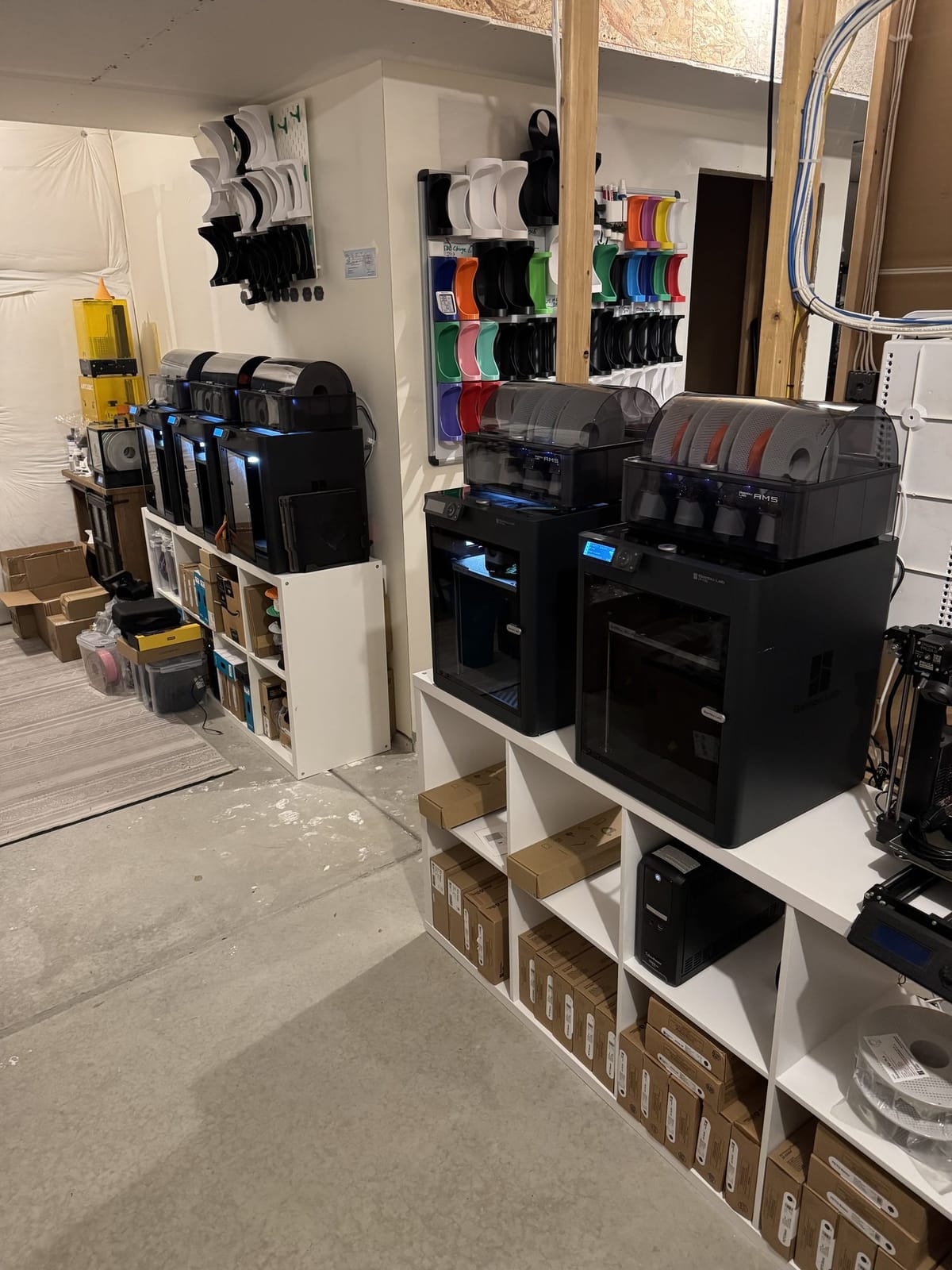
If you run more than one 3D printer, you eventually hit a boring but real problem: you can't tell, at a glance, which beds are clear and which still have a print sitting on them. A printer will happily tell you a job finished. It won't tell you whether you've removed the part. My shipping workflow doesn't care about "finished"; it cares about "collected."
So I built plate-check: a small computer-vision service that watches each printer's camera and answers one question: is this bed clear, or is there still a print on it? This post is a look at how it works and the design choices that made a hard problem small.
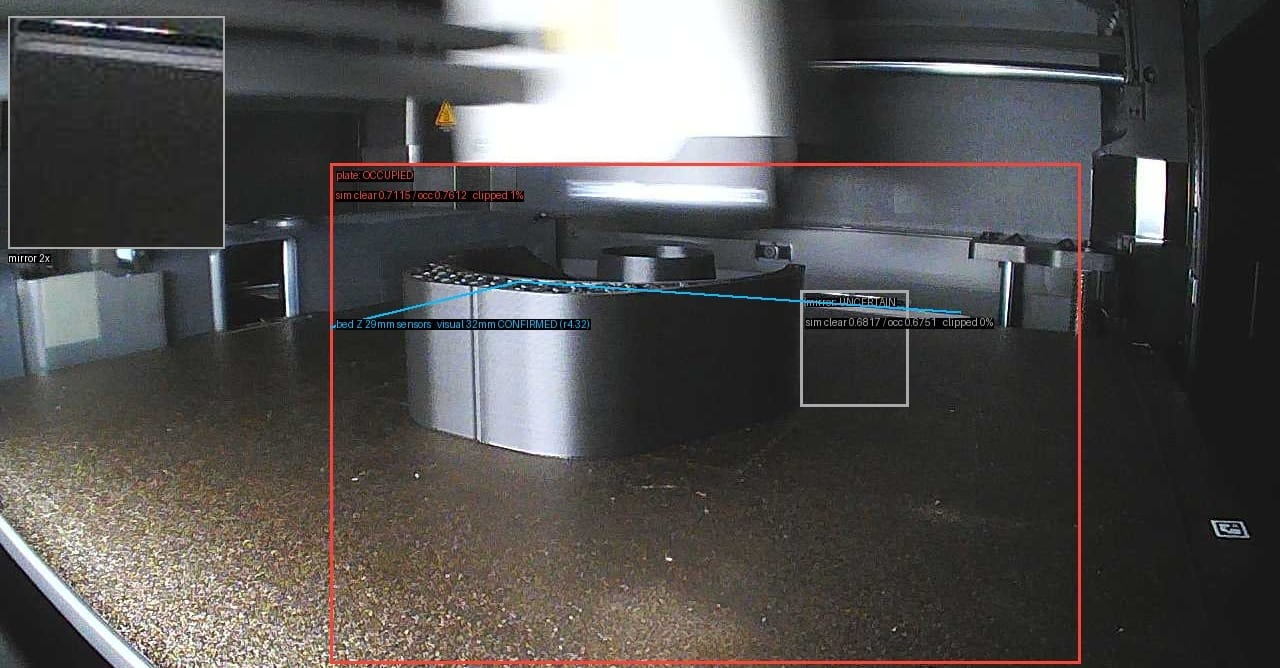
With a print on the plate, every region reads OCCUPIED. The cyan line is the detected bed edge — here CONFIRMED to within about a millimeter of the printer's own Z sensor.
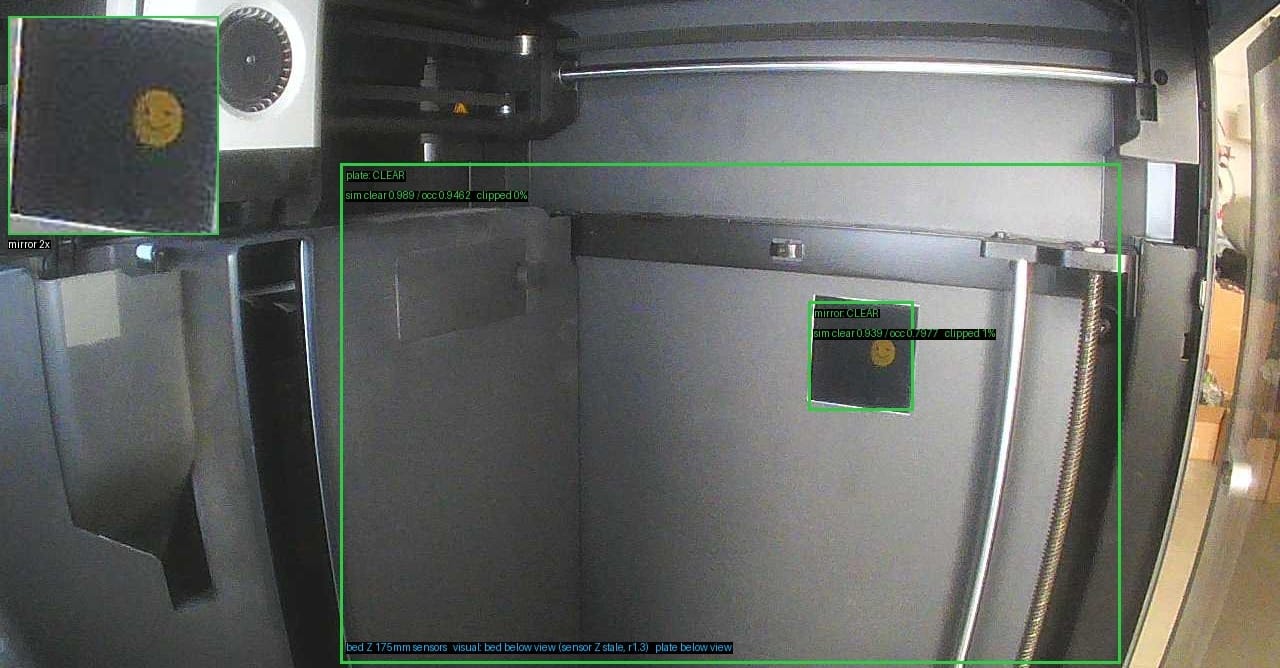
Bed cleared: the plate and mirror regions both read CLEAR. That OCCUPIED → CLEAR transition is the exact “collected” signal PrintToShip waits for.
Why "done" isn't good enough
My packing app, PrintToShip, auto-collects finished jobs so the print queue stays honest. But a finished print can sit on a bed for hours before I get to it. If the system advanced the moment a printer reported "complete," the queue would lie: it'd think a job was collected when the part is still sitting there, and it might even green-light the next print onto an occupied bed.
The signal I need is the transition: bed has a print → bed is clear. That transition is the collect event. And the only reliable way to detect it is to look at the bed.
Teaching it by example
The obvious instinct is "train a model." But training a proper classifier means collecting and labeling thousands of images, and re-doing it every time a camera shifts or a bed gets swapped. For a five-printer farm, that's absurd overhead.
Instead, plate-check uses a few-shot approach:
- A MobileNetV2 backbone turns each camera frame into a feature embedding (a compact numerical fingerprint of the image).
- For each printer, I keep a small set of self-labeled exemplar frames: a handful of "clear bed" examples and a handful of "print present" examples.
- To classify a new frame, plate-check embeds it and compares it against those exemplars. Nearest match wins.
No training loop, no GPU, no giant dataset. Teaching it a new printer means labeling a few frames. If a camera moves and accuracy drops, I add a couple more exemplars and it self-corrects. For this problem, a handful of examples does the job.
Why calibration is per-printer
One thing surprised me: you can't share a single model across all five printers. Even with identical printer hardware, each camera sees a slightly different angle, the ambient light differs by position in the basement, and beds accumulate their own texture and wear. A "clear bed" on printer 3 doesn't look quite like a "clear bed" on printer 1.
So calibration is per-printer, and it lives in a config the service reads at startup: crop regions and the exemplar set for each machine. The vision code itself stays completely business-agnostic; all the shop-specific reality (which printers exist, where to crop, what "clear" looks like) is data, not code.
The one silly trick: a mirror and a smiley sticker
A single camera has a blind spot. Short prints finish with the bed raised near the top of its travel — parked right out of the camera's wide view of the plate. When the thing you need to see leaves the frame, one camera isn't enough.
The fix isn't a second camera. It's a small mirror, fixed in the chamber and aimed at the top of the plate. It hands that one camera a second angle: a "witness" view that catches exactly the sliver of bed the wide view loses at high Z.
And my favorite detail is the fiducial that makes it aimable: a bright yellow smiley-face sticker sitting in the mirror's reflection. It's a simple, high-contrast landmark — trivial to aim the mirror by, and a dependable reference for the model in the mirror crop. You can spot it in the debug frames above: that little "mirror 2×" inset in the top-left corner is the reflection, smiley and all.
No robotics, no second camera, no extra cabling. A hardware-store mirror and a sticker turn one camera into two. (The only thing plate-check ever actively does to a printer is flick the chamber light over MQTT for a consistent exposure; even the second viewpoint is passive.)
How it runs
plate-check runs as a pod in a single-node k3s cluster on a Raspberry Pi, right alongside PrintToShip. It talks directly to each printer's camera and LAN MQTT — no home-automation hub in the middle, no cloud round-trip. Frames in, "clear / not clear" out, published where the packing app can consume it.
The exemplar images it learns from are self-labeled and stored with the service, so they survive redeploys and rebuilds. The model itself is small enough to run comfortably on the Pi's CPU — a big reason the MobileNetV2-embedding approach was the right call over anything heavier.
What it buys me
The payoff is undramatic: I don't babysit five camera feeds anymore. When I pull a finished part off a bed, plate-check notices the bed went clear, PrintToShip marks the job collected, and the queue stays truthful, all without me touching the kiosk.
It's the same pattern behind every tool I build for the shop: stop tracking something by eye, and let the system track it instead. plate-check is maybe the smallest of those tools. It might also be the one that saves me the most day-to-day aggravation.
plate-check is part of the larger system that runs DrawnToCreations. The full tour is in The Machine Behind the Shop.